
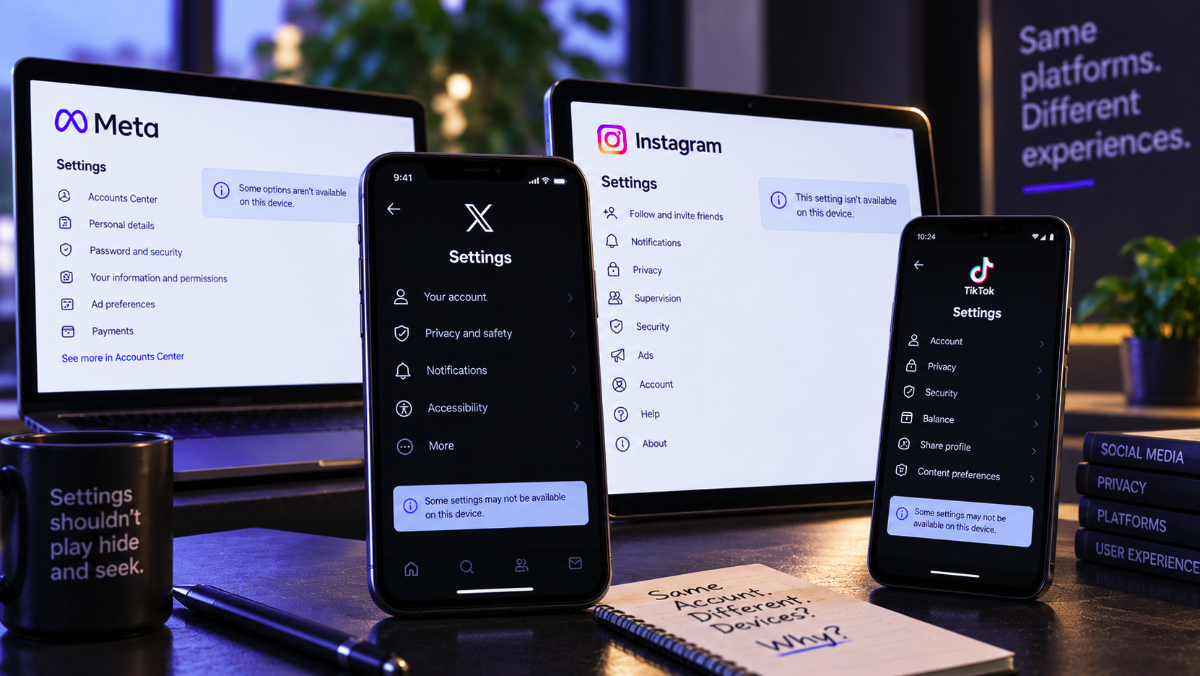
A social-media setting can exist on a phone and apparently disappear on a laptop. Two people can use the same platform and see different menus. An account can become trapped in onboarding even though every visible step appears complete. These experiences often look like random interface failures, but the underlying explanation is usually more complicated than a missing button.
A September 6 IMOOND analysis argues that modern social networks should no longer be understood as one interface delivered uniformly to every user. Services such as X, Facebook and Instagram span desktop websites, mobile browsers, native apps, account systems, permission layers and server-controlled experiments. What a user sees can therefore depend on several layers at once.
The same account can have several interfaces
The first source of confusion is the client itself. Desktop web, mobile web, Android and iOS applications may expose the same underlying account controls through different navigation structures. Some functions depend on operating-system capabilities, while others are easier to present on a large desktop interface. Product teams can also redesign one client before another.
Official documentation from X illustrates the distinction. X says its Personalization and data controls are available on desktop web as well as its iOS and Android apps, but the documented paths are not identical. On mobile, users navigate through the profile menu, Settings and privacy, Privacy and safety, and then Personalization and data. On the web, the corresponding settings page can be reached directly.
Crucially, X also says that when a user is signed in, those personalization settings apply to the account across devices. That separates two concepts that users often conflate: where a setting is displayed and what the setting controls. The interface can vary even when the underlying account preference is shared.
Meta’s help system shows similar device awareness. Facebook’s privacy-settings documentation provides separate help variants for Android, computer, iPad, iPhone, mobile browser and Facebook Lite. It also notes that some settings can change depending on profile type. A screenshot from one device or account is therefore not necessarily a universal map of the product.
Account state is an invisible part of the interface
Device differences explain only part of the problem. Social platforms also build interfaces around information held on their servers: whether an account has completed verification, whether it belongs to an organization, which permissions a user holds, whether a subscription is active, whether an account is restricted and whether a feature is enabled for that particular identity.
This creates an important troubleshooting clue. If the same option is missing for one account on several devices but appears for another account using those same devices, the hardware is unlikely to be the whole explanation. Account state or server-side eligibility becomes a stronger possibility.
That distinction is especially relevant for business and organization accounts, where permissions can be layered. A user may belong to an organization without having authority to change billing, security or administrative settings. In such cases, finding a different menu does not solve the problem because the issue is authorization rather than navigation.
Why onboarding can look complete when the server disagrees
Onboarding flows are particularly vulnerable to confusing state mismatches. A signup process can contain several dependent actions: contact verification, profile completion, security checks, preference selection and acceptance of platform terms. The visible interface may advance after one step while the server fails to record that step successfully.
When that happens, the user can appear to finish onboarding locally but return later to find the account still marked incomplete. Other causes are less dramatic: an outdated app may interact poorly with a changed backend, a network request can fail, a browser extension can interfere with scripts or privacy settings can block storage required by the workflow.
The safest response is generally to establish whether the required account state has actually been completed rather than looking immediately for an undocumented shortcut. Confirm verification steps, reload the service and test another officially supported client. If ordinary settings become available elsewhere, the comparison provides useful evidence about which layer is failing.
Private browsing is a diagnostic tool, not just a privacy feature
IMOOND recommends changing one variable at a time when troubleshooting a disappearing setting. That approach is more informative than reinstalling applications, clearing every cookie and resetting multiple preferences simultaneously because each controlled comparison eliminates possible causes.
A private or incognito browser window is often an effective first test. It creates a cleaner session without immediately destroying the user’s normal cookies and local state. If the missing control appears there, stale browser data or an extension becomes a plausible cause. If it remains absent, the investigation can move to another supported browser or the official mobile application.
The same logic can be applied systematically. Testing the same account in different browsers helps isolate browser state. Testing it across web and mobile helps isolate client-specific behavior. Comparing two accounts on the same device can expose account-specific conditions. When the problem survives every clean client and account prerequisites are satisfied, a server-side fault becomes more plausible.
Feature flags can make a rollout look like a personal bug
Another source of inconsistency is controlled product experimentation. Large internet platforms routinely introduce interface changes gradually rather than switching every account at once. A feature can be limited by geography, device type, account category or an experimental cohort while the company measures how users respond.
From the user’s perspective, the result can be baffling: a friend has a button that simply does not exist on an otherwise identical phone. Reinstalling the app may accomplish nothing if the interface variant is assigned on the server. Tutorials and screenshots can also age quickly because they document one version of a constantly changing product.
This is one reason official help documentation is more reliable than hunting for the exact visual arrangement shown in an old guide. Even official instructions can lag behind rapidly changing interfaces, but they are more likely to identify the supported capability and its current navigation paths.
Some controls genuinely belong to the device
Not every setting is purely an account preference. Mobile operating systems control permissions that web applications cannot reproduce in exactly the same way. Location access, advertising identifiers, notifications, camera and microphone permissions can involve both a social platform’s account settings and the operating system’s own controls.
X’s mobile location documentation, for example, distinguishes device-level location permission from account-level precise-location controls. Android and iOS expose their own permission mechanisms, while X separately provides controls inside the service. A user looking only inside the social app can therefore miss a setting that actually lives at the operating-system layer.
The reverse can happen too. Changing a phone permission does not necessarily alter every account preference stored by the platform. Troubleshooting requires identifying which layer owns the behavior before changing settings.
A direct settings page can be legitimate without being a bypass
Modern web applications often assign stable routes to settings pages even when navigation menus change. That means a bookmarked official settings page can sometimes remain reachable after a redesign moves or temporarily hides the menu entry leading to it.
There is an important distinction between using an official route to reach a control the account is already authorized to use and attempting to defeat a platform restriction. The first is ordinary navigation. The second can create security, policy and account-recovery problems. Undocumented URLs, modified requests and attempts to circumvent permission checks are poor substitutes for supported troubleshooting.
The best question is which layer changed
When a social-media control disappears, repeatedly searching the interface for the missing label is often less useful than reconstructing the system around it. Is the difference tied to the device, browser, app version, session, account, permission level or a server-side rollout? Each comparison narrows the possibilities.
If the issue persists across clean browsers and official apps, verification is complete and permissions appear correct, users should document the failure precisely before contacting support. Device and browser versions, account type, exact error messages, screenshots and the final successful step can turn a vague complaint into a reproducible problem report.
Social platforms feel simple because their interfaces conceal a large distributed system. The missing-setting problem exposes that complexity. X, Meta and similar services can behave differently across devices without either device necessarily being wrong. Once users separate navigation, authorization, account state and client behavior, many mysterious interface failures become much easier to diagnose.