
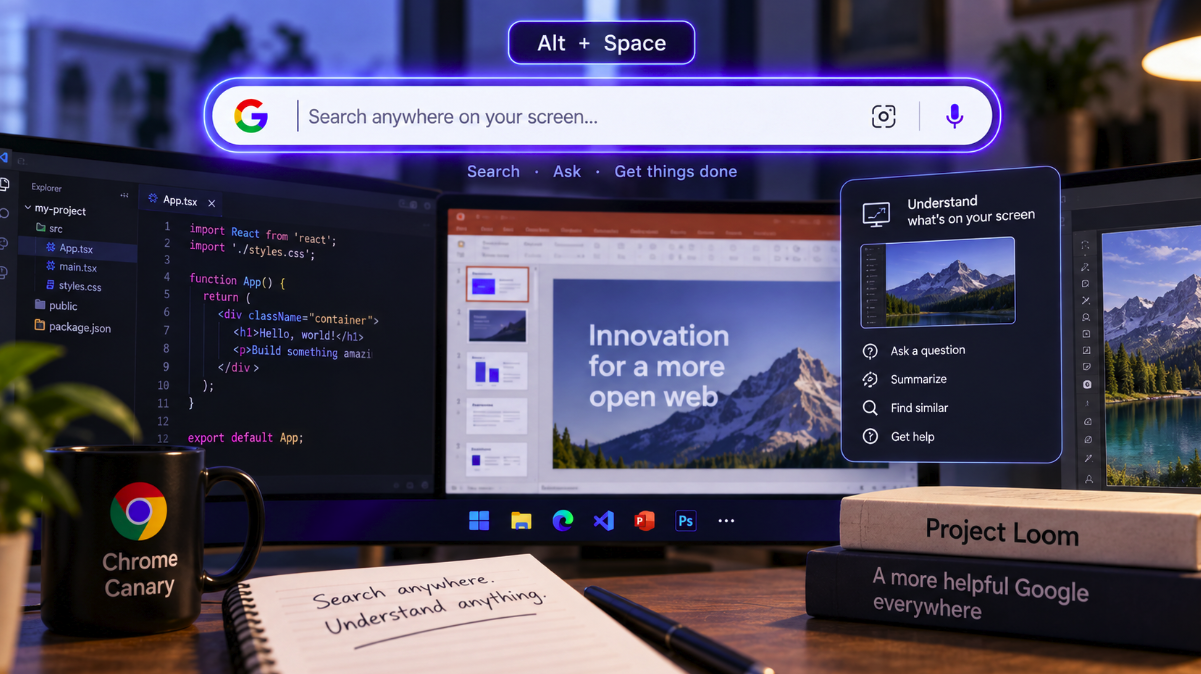
Google is testing a version of Search that no longer waits for users to return to the browser.
In Chrome Canary for Windows, an experimental feature known as the “Everywhere Omnibox” can place a floating Google search box above other desktop applications. The feature, developed under the Project Loom name, is designed to make Google accessible while a user is working elsewhere on the computer rather than requiring a new Chrome tab.
The latest test can be invoked with Alt + Space, according to Tom’s Guide reporting published September 5. More significantly, the experimental interface includes controls for sharing a region or an entire screen, pointing toward a future in which users could ask Google questions about whatever they are currently viewing.
That possibility makes Project Loom more interesting than a desktop search shortcut. If the experiment develops as its interface suggests, Google Search could become a persistent layer over Windows applications rather than a destination users deliberately visit.
There is an important caveat: this is still a Canary experiment. Google Lens and AI Mode are not yet fully integrated into the current implementation described in the September reporting, and Google could substantially change or abandon the feature before it reaches stable Chrome.
The omnibox is leaving the browser toolbar
Chrome’s omnibox has always combined navigation and search, but its location has been fundamental to the interaction. Users open Chrome, focus the address bar and type a query.
Everywhere Omnibox separates that search interface from the browser window.
With Chrome Canary running on Windows, the floating box can appear above another application. A user working in a document, presentation, photo editor or development environment could theoretically search Google without first switching back to Chrome.
That sounds like a small usability change, but it removes one of the oldest boundaries in desktop search: the assumption that the search engine lives inside a browser page.
The search box becomes closer to an operating-system command surface, available wherever the user happens to be working.
Project Loom is experimenting with screen sharing
The newer Project Loom interface is especially notable because it introduces the prospect of contextual search based on what is visible on the desktop.
Tom’s Guide reports that the experiment offers controls to share a selected region or an entire screen. The publication interprets this as preparation for asking Google questions about on-screen content without leaving the current workflow.
That direction is consistent with the broader evolution of multimodal AI assistants, which increasingly accept images, documents and visual context rather than requiring users to translate everything into a text query.
Instead of copying an error message from an application and pasting it into Google, a user could eventually point the search layer at the error itself. Instead of describing an object in a photograph, the user could share the visible image. Instead of manually summarizing a chart before asking a question, the system could potentially receive the chart as context.
Those scenarios remain prospective for the Chrome experiment. The presence of screen-sharing controls does not mean the current Canary build already delivers a complete Google Lens or AI Mode screen-understanding workflow.
AI Mode and Lens are not fully integrated yet
This distinction is important because the idea of an omnipresent AI assistant is more advanced than the feature currently being tested.
According to the September coverage, Google Lens and AI Mode buttons are not fully integrated into the latest Everywhere Omnibox implementation. The experience therefore should not be described as a finished desktop version of Google’s multimodal AI search.
Project Loom has also changed during development.
Earlier reporting in June described a version of Everywhere Omnibox with a different Windows shortcut—Ctrl + Shift + Space—and more explicit AI Mode functionality. The latest reporting describes Alt + Space and an interface evolving around “Ask Google from anywhere” and screen sharing.
That evolution is evidence of active experimentation, not evidence that every previously observed capability will ship.
Canary exists precisely so Google can test unstable ideas before deciding whether they belong in the mainstream browser.
Google is testing a search habit that starts outside Google
The strategic significance is easier to see when the feature is viewed as a change in user behavior rather than a new Chrome button.
Traditional web search begins with intent strong enough to interrupt the current task. A user encounters a question, switches to a browser, opens a tab, visits or invokes a search engine and types the query.
Every additional step creates friction.
A global shortcut reduces that friction by bringing the search interface to the task instead of moving the user to the search interface.
If Google can also understand the screen, it can reduce another step: explaining what the user is looking at.
The query could shift from “How do I fix error code X in this program?” to something closer to “Why is this happening?” because the relevant visual context is already shared with the assistant.
Search is becoming a layer, not a destination
This is part of a broader transformation in how search products are positioned.
For decades, search engines competed to become the page users opened first. Browser defaults, homepages and address bars were strategically valuable because they controlled the entry point to information discovery.
Generative AI is changing that competition. The most useful assistant may be the one that appears at the moment a question arises, already aware of the context in which it arose.
That creates a different product objective: not getting users to visit Search, but making Search available everywhere.
Project Loom’s name is appropriate in that sense. The experimental omnibox could weave Google’s search layer through applications that Google does not own.
The idea overlaps with the standalone Google app for Windows
Tom’s Guide notes that Google already has a standalone Windows app offering a similar direction, including access to Google Search, AI Mode, Lens and file search.
The relationship between that application and Project Loom is not yet clear.
Google has not confirmed that the Everywhere Omnibox is simply the Chrome implementation of the same product or that the two projects will converge. The overlap nevertheless shows that the company is exploring more than one route toward desktop-wide search.
Chrome provides an especially powerful distribution channel because it is already installed on enormous numbers of PCs. If a global search interface eventually became a mainstream browser feature, Google would not need users to install a separate assistant application to reach outside the browser window.
That distribution advantage could become strategically important as Microsoft, OpenAI and other AI companies compete for persistent desktop access.
Screen context could change the economics of search queries
For marketers and publishers, a search layer that understands what is already on screen could change how queries are formulated.
SEO has traditionally optimized for explicit language. Users type product names, problems, categories and questions into a search field, creating observable query patterns.
Context-aware search can make some of that language implicit.
If the system can see the software interface, product photograph, spreadsheet, map or document that triggered the question, the user may not need to name the subject in the query. The visible environment supplies part of the intent.
That could make traditional keyword data even less complete as a representation of demand.
The underlying need still exists, but fewer of its details may appear in the literal text submitted by the user.
Visual context could strengthen Google’s advantage in multimodal discovery
Google has already invested heavily in visual search through Lens and in generative search through AI Mode. A desktop-wide omnibox creates a possible bridge between those capabilities.
Imagine a user viewing a product in a video, a chart inside a presentation or an unfamiliar object in an image editor. A screen-aware search assistant could potentially identify the object, retrieve web information and generate an explanation without requiring a screenshot to be manually saved and uploaded.
That is not what the current Canary experiment should be assumed to do today. But the screen-sharing interface makes the direction worth watching.
The competitive advantage would come from collapsing separate actions—capture, upload, describe, search and interpret—into one interaction.
Privacy becomes more important when Search can see the desktop
The same capability that makes contextual search useful also creates an obvious privacy question.
A desktop can contain emails, private messages, financial documents, source code, customer information, health data and other sensitive material. Any feature that shares a screen or region with an online service needs clear user control over what is captured, when sharing begins and where the resulting data goes.
The current experiment’s explicit screen-sharing controls are therefore significant. A production implementation would need to make the boundary between local desktop content and information sent to Google understandable to ordinary users.
The details will matter more than the concept. Opt-in behavior, visible capture indicators, retention rules, account settings and enterprise controls could determine whether such a feature feels like a useful assistant or an intrusive layer.
Because Project Loom is unfinished, it would be premature to make claims about the final privacy model.
Chrome could become more than the application displaying the web
Browsers have gradually expanded beyond rendering websites. They manage passwords, payments, downloads, translation, notifications, media and increasingly AI features.
Everywhere Omnibox pushes that expansion in an unusual direction because the browser feature can become useful while the user is visibly working outside the browser.
That changes Chrome’s role from destination to infrastructure.
The browser would remain the technical foundation behind the search experience, but the user would not necessarily perceive that they had returned to Chrome. They would simply invoke Google over the application already in front of them.
For Google, that could preserve the centrality of Search even as computing becomes more fragmented across native apps, AI assistants and browser-based workflows.
For SEO, the interface matters because it changes the path to the web
Search marketers do not need to optimize for Project Loom today. There is no stable product to target and no evidence that Google has created a new ranking system specifically for Everywhere Omnibox.
But the experiment is relevant because interfaces shape traffic.
If a contextual assistant can answer a question directly from the desktop, the user may need fewer conventional search-result pages. If the answer cites websites, those sources could receive new forms of discovery. If the assistant resolves the task without a click, visibility and traffic may diverge further.
This is the same measurement challenge already emerging with AI Overviews, AI Mode and standalone AI assistants, extended beyond the browser tab.
Publishers may increasingly need to distinguish being used as a source from being visited as a destination.
Canary experiments are not product announcements
The most important restraint around Project Loom is that Google has not announced Everywhere Omnibox as a stable Chrome feature.
Chrome Canary is an early development channel where experimental flags and interfaces can change rapidly. Features tested there can be renamed, redesigned, merged into other products or removed entirely.
The changing shortcuts and capabilities already reported around Project Loom illustrate that instability.
It would therefore be misleading to tell users that Chrome is about to gain a finished AI assistant that watches every application. The evidence supports a narrower statement: Google is actively experimenting with a floating search interface that can appear over Windows apps, and its latest design points toward sharing on-screen context with Google.
Whether that concept survives to stable Chrome remains unknown.
Google Search is testing what happens when the browser boundary disappears
The most consequential part of Everywhere Omnibox is not Alt + Space. It is the idea that the moment of search no longer has to begin inside a Google page, a browser tab or even a visible Chrome window.
If Project Loom matures, a question could begin wherever the user encounters the problem: in a document, image, presentation, code editor or desktop application. Search would arrive there.
That would give Google a way to compete for AI-assistant interactions at the operating-system level while still using Chrome as the distribution mechanism.
For now, the experiment remains exactly that—an experiment. Lens and AI Mode are not fully integrated, the interface is evolving and Google may never ship the feature in its current form.
But Project Loom reveals the direction Google is testing. The future of Search may involve fewer moments when users consciously “go to Google” because Google is trying to make the search box available before they ever leave what they are doing.