
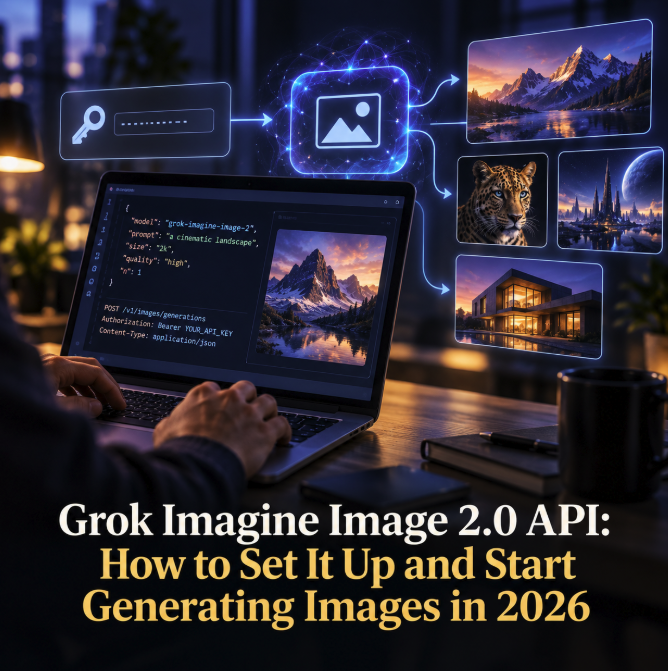
xAI's Grok Imagine Image 2.0 is now available through the company's API, giving developers a direct way to build image generation and editing into applications without relying on the consumer Grok interface. The model, identified in API requests as grok-imagine-image-2.0, supports text-to-image generation, natural-language image editing, multiple output resolutions and configurable quality settings, making it considerably more flexible than a basic prompt-to-picture endpoint.
The setup is relatively straightforward for developers already familiar with REST APIs or OpenAI-compatible SDKs. xAI exposes image generation through /v1/images/generations, while edits use /v1/images/edits. The company also provides its own SDK, and its current image-generation documentation includes examples for Python, JavaScript, cURL and OpenAI-compatible clients.
What Grok Imagine Image 2.0 adds
xAI introduced Imagine Image 2.0 in August 2026 with an emphasis on instruction following, typography, composition and precise editing. In its official Image 2.0 announcement, the company said the model was designed for practical creative work rather than simply producing visually attractive one-off generations. That distinction matters for developers building products in which an image may need several revisions before it becomes a usable asset.
The API can generate multiple variations in a request and supports both 1K and 2K output. Developers can also specify an aspect ratio and choose a quality level. According to xAI's current documentation, the quality parameter accepts low, medium or auto. When left on automatic selection, image generation currently uses low quality while image editing uses medium quality, although applications that need predictable cost or output behavior can explicitly pin the setting.
Setting up access to the API
The first requirement is an xAI API key. Developers should create the key through xAI's developer platform and store it as an environment variable rather than embedding credentials directly in application source code. xAI's examples conventionally use XAI_API_KEY. Requests are then sent to the xAI API base URL with the key supplied as a Bearer token in the authorization header.
For a basic REST integration, an application sends a POST request to https://api.x.ai/v1/images/generations with a JSON payload containing the model and prompt. A minimal request therefore needs only grok-imagine-image-2.0 as the model identifier and a natural-language description of the desired image. The response contains a data array with the generated image result and associated metadata.
Developers who already use the OpenAI client libraries can configure an OpenAI-compatible client with xAI's base URL rather than building the HTTP request layer manually. That can make Grok Imagine particularly easy to evaluate inside an existing AI application because much of the surrounding request and error-handling code can remain familiar.
Controlling resolution, aspect ratio and quality
Production image generation usually requires more control than a prompt alone. Grok Imagine Image 2.0 currently supports 1K and 2K resolutions, with 1K used when no resolution is specified. Applications can request 2K when the output needs more detail, although the higher resolution carries a higher generation cost under the current pricing structure.
Aspect ratio can also be specified independently. This is useful when the output must fit a known surface such as a website hero image, social-media card or portrait creative. Rather than generating a square asset and cropping it afterward, the application can ask the model for the intended format as part of the API request.
Quality introduces another useful trade-off. xAI's current model documentation lists low and medium pricing tiers, with 1K low-quality output priced at $0.04 per generated image and 2K low-quality output at $0.06. Medium quality is listed at $0.06 for 1K and $0.08 for 2K. Developers should verify the current model and pricing page before estimating production costs because API pricing and model behavior can change.
Image editing is part of the same model
Image 2.0 is not limited to creating new pictures. The edits endpoint accepts an existing image and a natural-language instruction describing what should change. The source can be supplied through a public URL, a base64 data URI or, where supported in the workflow, a file reference. This enables applications to build iterative editing experiences without requiring users to recreate an image from scratch after every revision.
xAI says the model supports up to five reference images for editing. That opens the door to workflows involving composition, subject consistency, style transfer and combining visual references. A developer could, for example, provide a source photograph and request a different artistic treatment, then feed the resulting image into another edit to refine a specific detail. xAI's image-editing guide describes this multi-turn approach as a way to progressively refine an asset.
Batch generation can accelerate creative workflows
Another useful feature is the ability to request several outputs rather than making a separate network call for every variation. xAI's Imagine documentation says image generation supports as many as 10 images per request. For applications that present users with multiple creative candidates, this can simplify orchestration and make the generation workflow easier to manage.
The economic implication is worth remembering: pricing is per generated image rather than per request. Asking for several variations therefore increases the bill accordingly. A production application should expose batch size carefully, particularly if end users can trigger generations repeatedly, and should implement usage limits or budget controls where necessary.
Image 2.0 is also replacing an older quality model
Developers maintaining an existing Grok Imagine integration should pay attention to xAI's model migration schedule. The company has announced that the older grok-imagine-image-quality slug will be retired on November 2, 2026. After that date, requests using the retired identifier will be served by grok-imagine-image-2.0 with quality set to low.
xAI recommends migrating explicitly to the new model identifier before the retirement date. Doing so gives applications direct control over the quality setting instead of relying on the automatic redirect. The original grok-imagine-image 1.0 model is not affected by that particular retirement, according to the company's migration documentation.
A practical API for developers building visual AI products
Grok Imagine Image 2.0 reflects the direction image-generation APIs are taking in 2026. Raw visual quality remains important, but developer-oriented systems increasingly need predictable formats, editing, references, batch generation and controls over the relationship between quality and cost. Those capabilities are what turn a generative model into infrastructure that can sit behind a real application.
For a first integration, developers can keep the workflow simple: create an xAI API key, send a prompt to the generations endpoint using grok-imagine-image-2.0, inspect the returned image and then experiment with aspect ratio, resolution and quality. From there, the edits endpoint and multi-image references provide a path toward more sophisticated creative tools. As always with a rapidly evolving API, xAI's official documentation should remain the source of truth for supported parameters, pricing and model migrations.